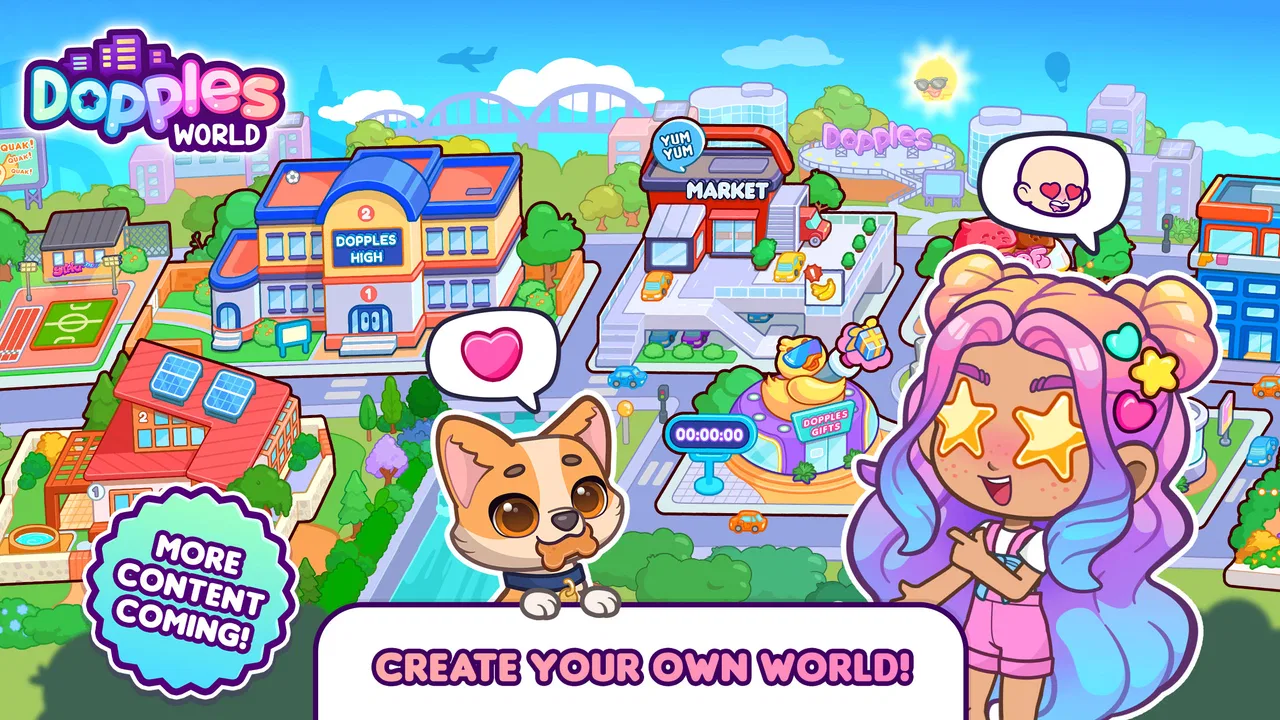
Dopples World
- 4.8
- Rating
- 10.00M
- Installs
- Free
- Price

 Analysis by App-foxy
I found Dopples World most interesting as a gentle, open-ended game rather than a conventional lesson app. It comes from TutoTOONS and sits in the educational category, but its appeal is really in giving children a playful space to shape an avatar, explore everyday situations, and make up stories. That makes it easier to approach than an app that expects a child to sit down and complete a fixed sequence of exercises.
The game is free to download and is marked for Everyone, which gives it a broad family audience. It has also attracted a 4.7 average from around 27 thousand ratings and passed 10 million installs, so this is not an obscure experiment with a tiny audience. I still would not treat those numbers as a substitute for checking whether its style suits a particular child. A popular children’s game can be enjoyable for one child and tiring or confusing for another, especially when attention, reading ability, motor control, or sensory preferences differ.
How Dopples World feels to use across different abilities and situations
I find that Dopples World’s avatar-centered play can flex around different strengths: one child may make visual choices, another may narrate a story, and someone else may need an adult to help steer the touchscreen. The useful test is not whether a child plays independently, but whether the format lets them participate comfortably. That distinction helps clarify which everyday situations suit the game best.
You May Also Like

 AccuWeather: Weather Radar
AccuWeather Review: A Quick, Clear Forecast for Everyday Decisions
For everyday plans, the best forecast is the one you can understand quickly. AccuWeather makes rain timing, radar, and local conditions easy to act on, with a few trade-offs.

 Hill Climb Racing
Why Hill Climb Racing Still Turns Crashes Into One More Run
A tiny car, a bumpy hill and one more upgrade: Hill Climb Racing keeps resurfacing because its simple chaos makes every near-miss feel personal.

 AliExpress - Shopping App
AliExpress Makes Global Shopping Feel Personal, but Shoppers Bear the Risk
AliExpress turns a global marketplace into a pocket-sized discovery engine. Its reach is useful, its shopping loop compelling, and its trade-offs easy to miss.

 Lords Mobile: Kingdom Wars
Lords Mobile Is a Kingdom-Building Routine, Not a Quick Match
A case-by-case verdict on the building, battles, device demands, and social commitments that make Lords Mobile rewarding for some players and exhausting for others.

 PDF Scanner app - TapScanner
TapScanner Makes Paperwork Easier to Capture, Check, and Share
TapScanner makes scanning with a phone feel less like a rescue operation and more like a dependable step in getting work done. Its capture tools are useful, though not flawless.

 Block Blast!
 Shows How Much a Puzzle Game Can Leave Out
A quiet grid game shows why puzzle players increasingly value instant clarity, repeatable skill and low-pressure play—and where the genre still needs to catch up.
More From Our News Desk
View All News


Readable navigation works best when the child can explore visually
The central idea is immediately understandable: create an avatar life and use that character as the starting point for stories. In my experience, that kind of visual goal is more inviting than a menu full of written instructions. A child who is not yet a confident reader can often understand the purpose of an avatar, a room, or an object from its appearance and context. That lowers the language barrier at the beginning, particularly when an adult is nearby to explain unfamiliar choices.
The trade-off is that a visually led game still asks the player to interpret what each icon, button, or object means. Younger children may tap around until they discover the next action rather than follow a clear written route. I see that as part of the play, but it can become frustrating for a child who needs predictable instructions. The first session is therefore better with a short shared tour: let the child choose the avatar, then pause and ask what they think each visible option does instead of taking over the controls.
I would use the game differently depending on reading confidence. For a child who reads comfortably, the world can become a prompt for independent storytelling. For an early reader, I would turn the screen into a conversation: “Who is your character visiting?” or “What could happen next?” That approach makes the game educational without forcing it to behave like a worksheet. It also helps a child who understands spoken language better than written directions.
One useful habit is to keep the number of choices small during the first few play sessions. Open-ended avatar play can produce a lot of decisions at once, and children who have difficulty shifting attention may benefit from a simple plan, such as choosing clothing first and creating one short story afterward. This is not a special setting inside the game; it is a practical way for an adult to make the experience feel more manageable.
Motor demands and sensory comfort deserve a closer look
Avatar and story games usually depend on tapping, selecting, and moving through visual scenes. That can be a comfortable format for children who can use a touchscreen accurately, but it may be less suitable for a child with limited fine-motor control, tremors, or difficulty distinguishing small interactive areas. I would test the game personally before assuming that a child can operate every part independently. A large tablet may feel easier to handle than a small phone, although the child’s reach and grip still matter.
There is also a difference between being able to touch the right item and being able to understand the result of that touch. If an action changes the scene without a clear explanation, a child may repeat taps or lose track of what they were trying to do. Sitting beside the player for the first few sessions can reveal whether the problem is motor accuracy, unclear feedback, or simply unfamiliarity with the game’s visual language.
For children who are sensitive to busy screens, the open-ended format may be calming in one moment and overwhelming in another. A child can focus on a single avatar choice or story idea, but the broader world may invite constant switching between objects and activities. I would avoid presenting it as a game that must be completed quickly. Short, purposeful sessions work better than leaving a child to keep searching for something new after their attention has already faded.
Sound can also affect comfort, even when the visual design is appealing. I would begin with the device volume low and watch the child’s reaction rather than assuming that cheerful game audio is helpful. If the child prefers a quieter environment, playing without prominent sound may make shared use easier. The important point is to treat sensory comfort as part of the setup, not as a sign that the child is using the game incorrectly.
It fits flexible moments better than fixed teaching periods
The best everyday use I found is a short transition period: after school, during a quiet afternoon, or while waiting for an appointment. A child can choose an avatar activity, invent a small event, and stop without needing to finish a long level. That flexibility is valuable for families whose routines change from day to day. It also makes the game useful for siblings or friends who want to build a shared imaginary situation, provided an adult is comfortable with them taking turns on the same device.
I would not use it as a replacement for a structured literacy, numeracy, or communication program. Its educational value comes through play, language, choice, and storytelling rather than a clearly defined curriculum. If your goal is deliberate practice in spelling or arithmetic, a dedicated learning app will be more direct. If your goal is to encourage a child to describe characters, sequence events, and make choices, this format is a better match.
A realistic routine might look like this: a child chooses an avatar before dinner, decides where the character is going, and tells a parent what happens next. The adult can ask the child to explain one choice, describe an emotion, or invent an ending. That turns a few minutes of screen time into a small conversation exercise without making the child feel tested. For a child who dislikes direct questioning, talking about the avatar can be an easier way to express ideas indirectly.
The game can also support different levels of participation. One child may want to control everything, another may prefer to narrate while an adult taps, and a third may enjoy selecting visual details but not explaining a full story. I like that the basic premise leaves room for these roles. The limitation is that the app itself cannot know which role a child needs, so the most inclusive experience often depends on a parent, teacher, or sibling adjusting the pace.
What helps when reading, language, or attention varies
Because the experience revolves around an avatar’s life, I would use it as a language bridge rather than insist on exact answers. Ask the child to name objects, compare two choices, or tell you why a character is going somewhere. A child learning English can use the visual context to connect words with actions, while a more advanced speaker can practice longer descriptions and cause-and-effect stories.
For a child who becomes anxious when a game has no obvious right answer, explain beforehand that the purpose is to create, not to win. That expectation matters. Open-ended play can feel liberating to one child but vague to another. Giving a simple mission, such as “make a story about a character helping someone,” adds structure without changing the game into a formal lesson.
Children with attention differences may benefit from a visible stopping point chosen by the adult: one avatar change, one location, or one short story. I would also avoid correcting every word or decision. The strongest learning opportunity is often the child’s explanation of what they intended, not whether their story follows an adult’s preferred path. If concentration drops, stopping early is more productive than pushing through.
There is a subtle trade-off here. The same freedom that encourages imagination can make it harder to measure progress. You can observe richer vocabulary, more detailed stories, or greater willingness to make choices, but you will not get the kind of clear lesson result that a conventional educational app provides. Families should choose it for creative practice and engagement, not for a visible scorecard.
Remaining barriers parents should consider
The free entry point is helpful, but the game includes in-app purchases ranging from $0.99 to $25.99 per item. That matters in a family setting, particularly when a child is allowed to explore independently. I would review the device’s purchase controls before handing it over and explain which choices are available without spending. A child may understand the difference between play and buying, but it is safer not to rely on that understanding alone.
The game’s current version is 16.0.27 and it requires Android 6.0 or later. That makes device compatibility an important first check for families using an older phone or tablet. I would also try it on the actual device the child will use, because screen size, responsiveness, and available storage can affect comfort even when the operating system meets the requirement.
Another barrier is adult involvement. Although the concept is approachable, a child who needs clear sequencing, help with touch accuracy, or support interpreting visual choices may not get the full benefit from being left alone with it. That is not necessarily a flaw in the game, but it changes the practical cost of using it. A family looking for a completely self-explanatory activity may prefer a more linear alternative.
I would also be cautious about assuming that an Everyone rating means every child will find the experience comfortable. Age guidance is useful, but it does not describe individual sensory needs, reading levels, motor skills, or tolerance for open-ended play. The right test is observation: does the child understand the next step, enjoy the visual pace, and recover easily when something does not work?
Compared with a traditional educational game, Dopples World offers less obvious academic structure and more room for pretend play. Compared with a simple dress-up app, it gives the avatar a broader story context, which creates more opportunities for conversation and creative sequencing. Compared with a video, it asks the child to make choices rather than only watch. I would choose it when participation and imagination matter more than measurable drills.
Who should try it, and who should skip it
I think it is a strong fit for children who enjoy character creation, pretend situations, and making up their own explanations. It is especially useful when an adult wants a low-pressure prompt for conversation. Teachers or caregivers could also use it as a starting point for describing emotions, planning a beginning-middle-end story, or comparing how two characters might respond to the same situation.
I would be more hesitant for a child who becomes distressed by unclear goals, needs large and highly predictable controls, or is expected to use a learning app independently without support. It may also be the wrong choice for families looking specifically for phonics practice, mathematics instruction, or a tightly sequenced course. In those cases, a specialist educational tool is likely to deliver clearer results.
My practical recommendation is to begin with a short shared session. Watch whether the child can identify the main choices, whether tapping feels comfortable, and whether the amount of visual activity helps or distracts. Then decide whether the child should play alone, with a sibling, or with an adult narrating alongside them. That small trial tells you more than a general age label.
My inclusive verdict
Dopples World succeeds when it is treated as a creative, educational play space rather than a formal classroom. I appreciate that its avatar-centered design gives children several ways to participate: they can choose, observe, narrate, or build a story with someone else. That flexibility can support different communication styles and everyday routines, especially when an adult adapts the pace.
Its weaknesses are just as practical. Open-ended navigation may not suit every attention style, touchscreen interaction may challenge some children, and the purchase system requires responsible device settings. The game also cannot replace a structured learning app when a child needs a defined academic pathway. Those limitations do not cancel out its value, but they make the choice more personal than the high rating alone suggests.
For me, the deciding question is simple: will this child enjoy turning visual choices into a story? If the answer is yes, the free game is worth trying, with purchase controls checked and the first session shared. TutoTOONS has created something approachable for imaginative play, and its best educational moments appear when a child uses the avatar as a reason to talk, decide, and invent. Its strongest inclusive feature is not a special claim or a single setting, but the room it leaves for different kinds of participation.
FAQs for Dopples World
01What is Dopples World and what can I do with it?
Dopples World is an immersive mobile game that transports players into a vibrant, interactive universe. Users can explore diverse landscapes, complete quests, and interact with a community of characters. The game offers a blend of adventure, puzzle-solving, and strategy elements, providing an engaging experience tailored to both casual and dedicated gamers.
02Is Dopples World free to download and play?
Dopples World is free to download and play, offering a variety of features accessible without any cost. However, the game includes optional in-app purchases that enhance gameplay, such as special items, character upgrades, and additional content. These purchases are entirely optional and can enrich the gaming experience for those interested.
03What are the system requirements for installing Dopples World?
To install Dopples World, Android users need a device running version 5.0 or higher, while iOS users require iOS 11.0 or later. The game demands a stable internet connection for optimal performance and a minimum of 500 MB of free storage space to ensure smooth installation and gameplay.
04Is Dopples World suitable for children?
Dopples World is designed to be family-friendly and is suitable for children aged 10 and up. The game includes content that encourages problem-solving and creativity, with built-in parental controls to ensure a safe gaming environment. However, parents should be aware of in-app purchases and monitor gameplay as needed.
05How does Dopples World handle user data and privacy?
Dopples World prioritizes user privacy and complies with industry-standard data protection protocols. The game collects minimal data necessary for gameplay, such as user progress and preferences. Users can review the privacy policy within the app for detailed information on data handling and can contact support for any privacy concerns.
Pros
- Engaging and interactive gameplay.
- Beautifully designed graphics and sounds.
- Intuitive and user-friendly interface.
- Regular updates with new content.
- Offline mode available for travel.
Cons
- In-app purchases can be pricey.
- Occasional lag on older devices.
- Limited character customization.
- Requires constant internet for updates.
- Ads can be intrusive at times.

Dopples World
Gallery